- Published on
BIM Level of Development (LOD): LOD 100 to 500 Explained
Key Takeaways
- LOD defines how much geometric and data detail a BIM element should contain at each project stage
- Over-modelling too early wastes time and causes rework; progressive LOD adds detail only when needed
- LOD 300-350 is where clash detection happens; LOD 400 is fabrication-level detail for construction
Building Information Modelling (BIM) is more than just creating 3D models. It’s about constructing twice—first virtually, then physically—so that stakeholders can anticipate challenges, coordinate effectively, and reduce costly rework. One of the key frameworks that keeps this process structured is the Level of Development (LOD) system, which defines the amount of detail contained in the model across critical project stages.
What is Level of Development (LOD)?
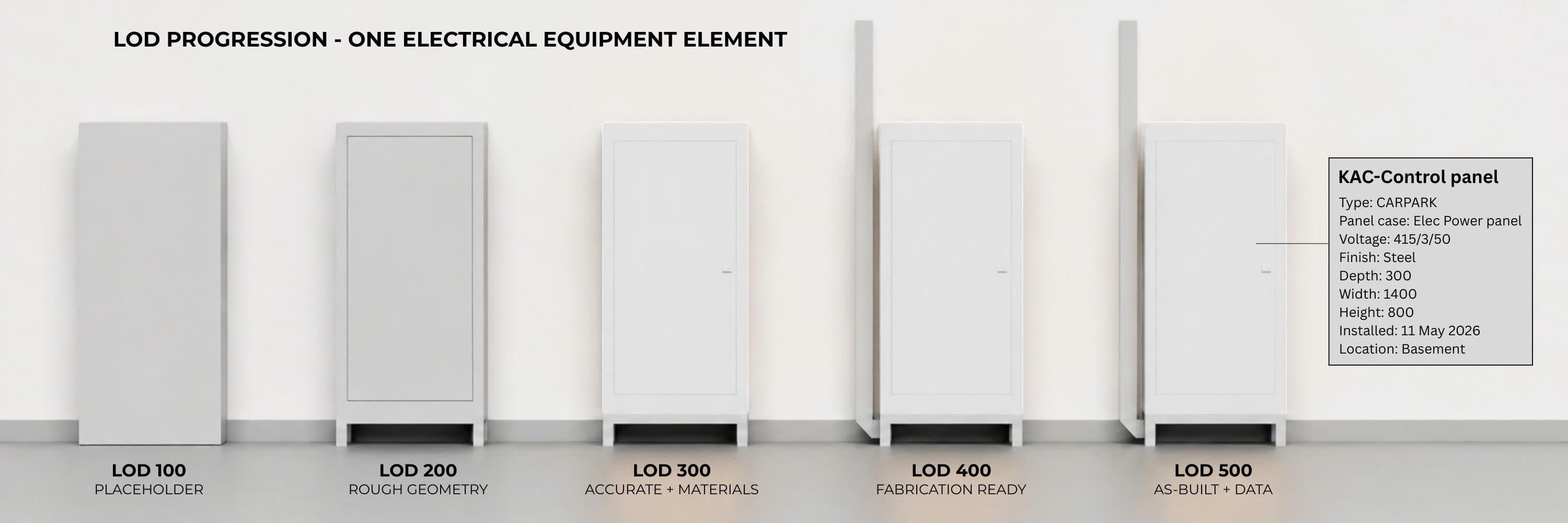
LOD stands for Level of Development, sometimes also referred to as Level of Detail. It provides a benchmark for how much geometric and parametric information should be included in a model at any given point. A typical project progresses from conceptual design all the way through to construction and facility management, and the LOD framework guides model development along the way.
This article aligns BIM LOD with the American Institute of Architects' (AIA) 5-phase project delivery framework, providing a common basis for understanding how detail evolves throughout a project.
Why Is LOD Important in BIM?
It may sound logical to model everything in full detail from the beginning, but that often creates more problems than it solves. Early in the project, it's more important to establish high-level site requirements—things like massing models that guide overall layout or relationships between buildings. It may be tempting to create detailed models upfront to "get it out of the way," but we've found this isn't practical. Overly detailed BIM models become heavy, requiring massive computation power that slows down coordination. When this happens, BIM models get delayed, and contractors miss out on the benefits of virtual coordination before construction begins.
Progressive LODs keep the model lean and useful, while ensuring that detail increases only when necessary. If you're curious how this ties into 4D planning, check out our article on What is 4D BIM?.
Which LOD Should You Use?
The BIM LOD depends on your role in a project (i.e. architect, consultant, contractor), which directly leads to the level of detail you need to create as part of your submittals. Generally, the LOD increases as the project progresses, and reaches up to the maximum LOD 500 before project handover.
LOD 200 for Schematic Design
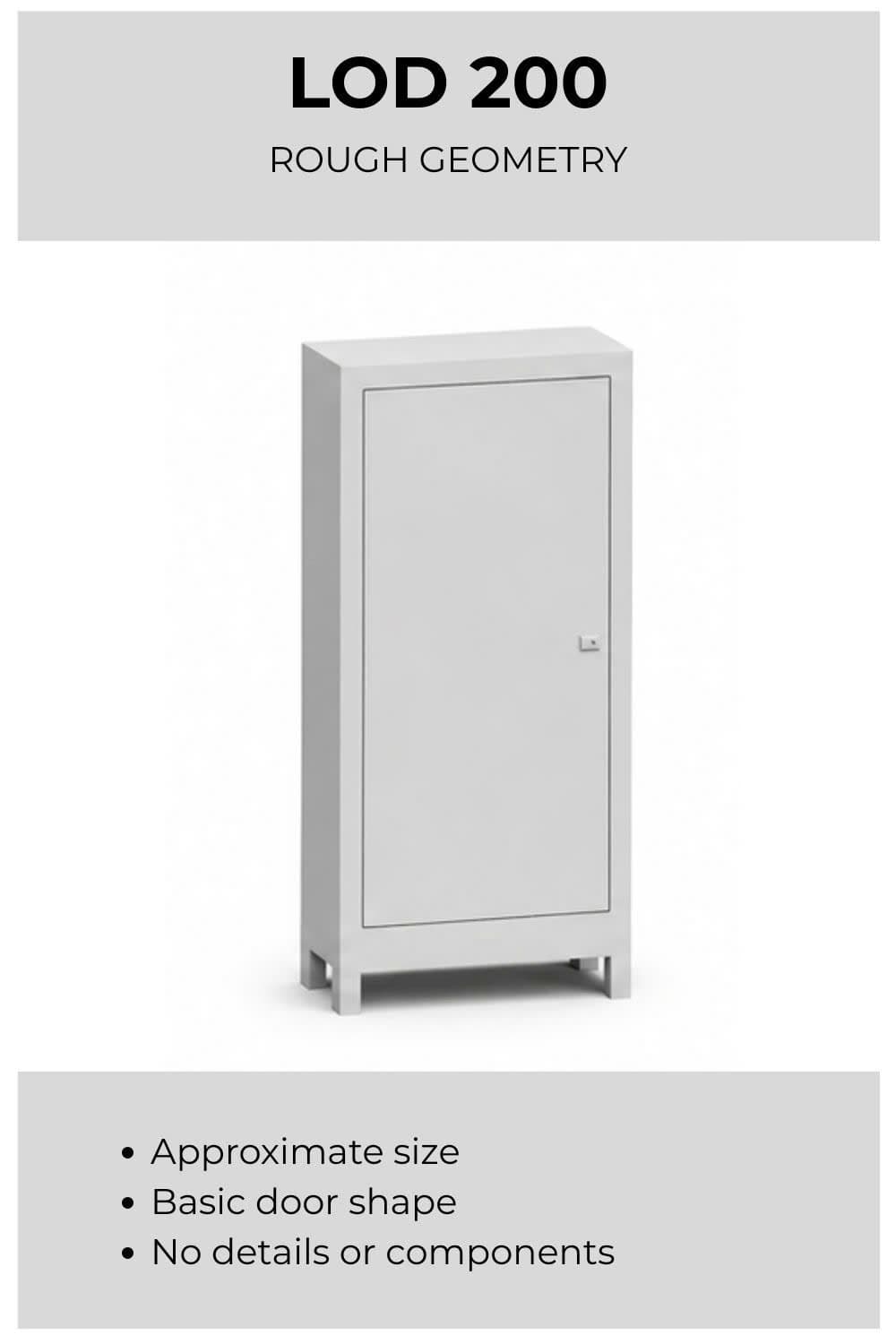
At this stage, the BIM model captures essential building elements in approximate form. The objective is to establish a reliable base for feasibility and early design reviews between the Architect and Owner.
LOD 300 for Design Development
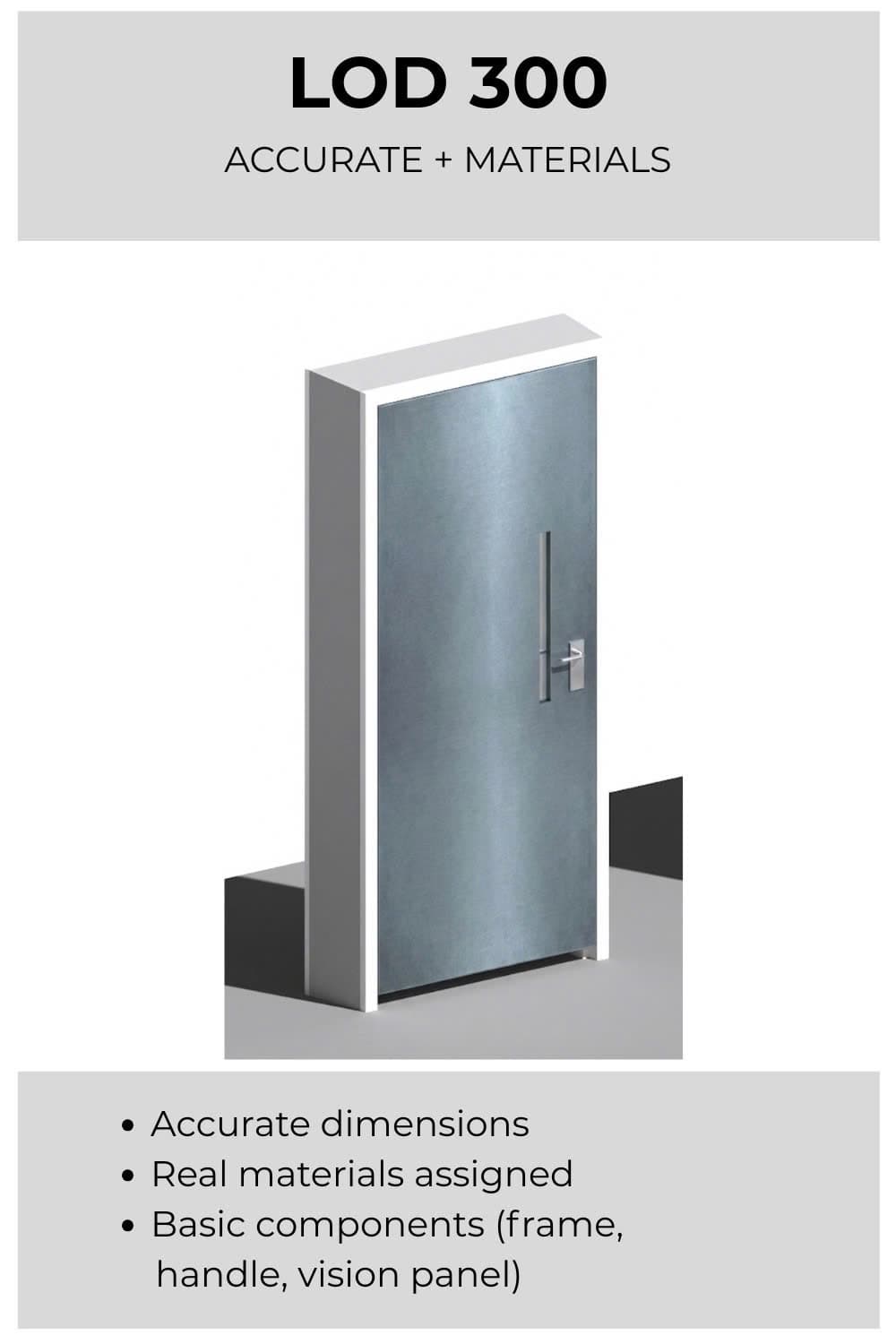
The BIM model gains detail across all disciplines, including structure and M&E disciplines. By LOD 350, coordination between trades is emphasized, with connections and interfaces fully defined for clash detection and constructability checks.
LOD 400 for Construction Documentation
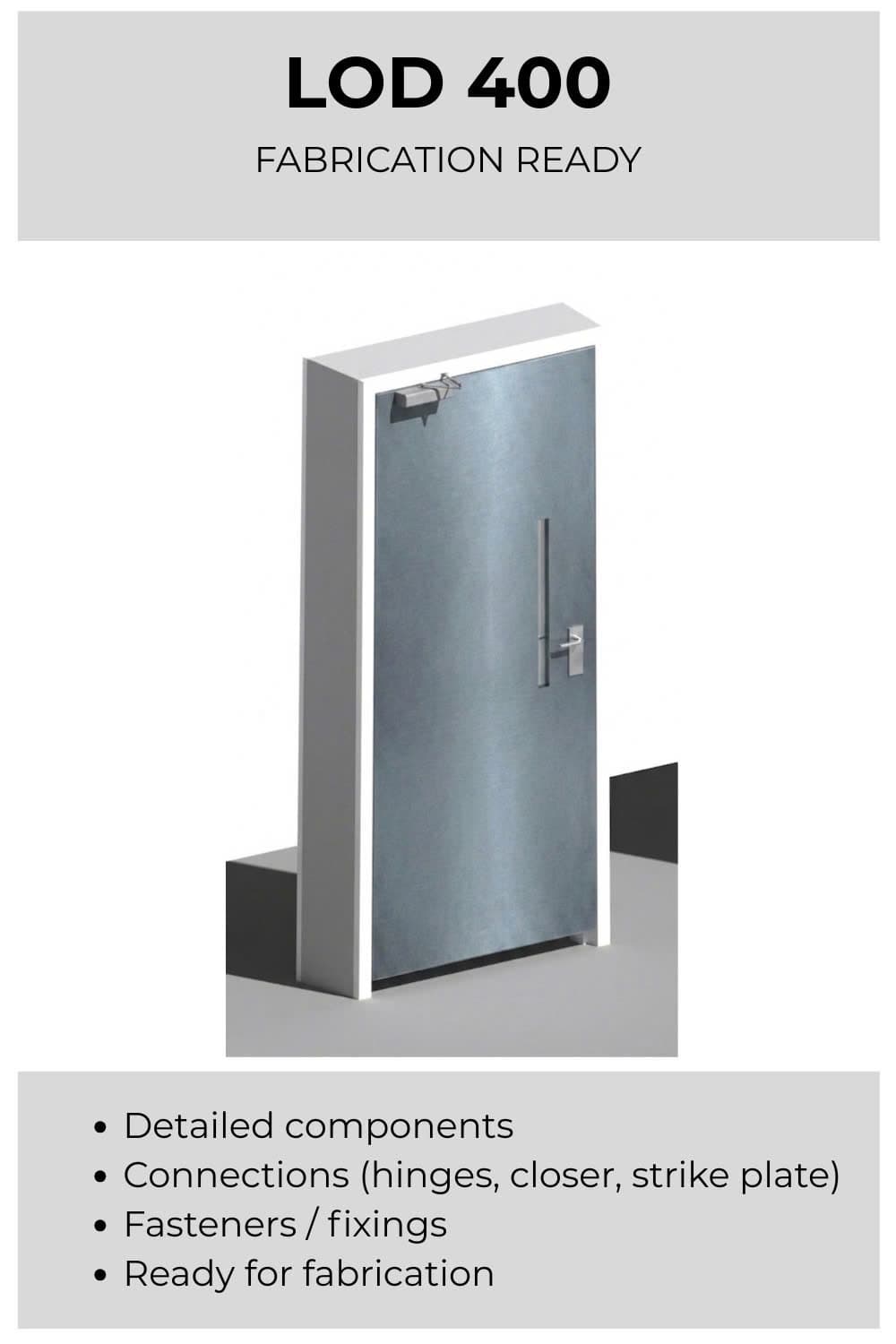
During the Construction Documentation phase, the BIM model reaches LOD 400, providing fabrication-level detail for creating comprehensive construction documents. Subcontractors should be working from a federated, clash-free BIM model (achieved at LOD 350) when developing the additional detail required for fabrication and assembly. This ensures that all architectural, structural, and MEP systems are coordinated before shop drawings are produced.
From there, shop drawings can be generated directly from the BIM software. Additional 2D detailing can be created using CAD software to supplement the deliverables and meet project requirements. These documents then form the basis for the Bidding phase, where contractors use them to prepare cost proposals and construction plans.
LOD 500 for Construction Administration & Handover
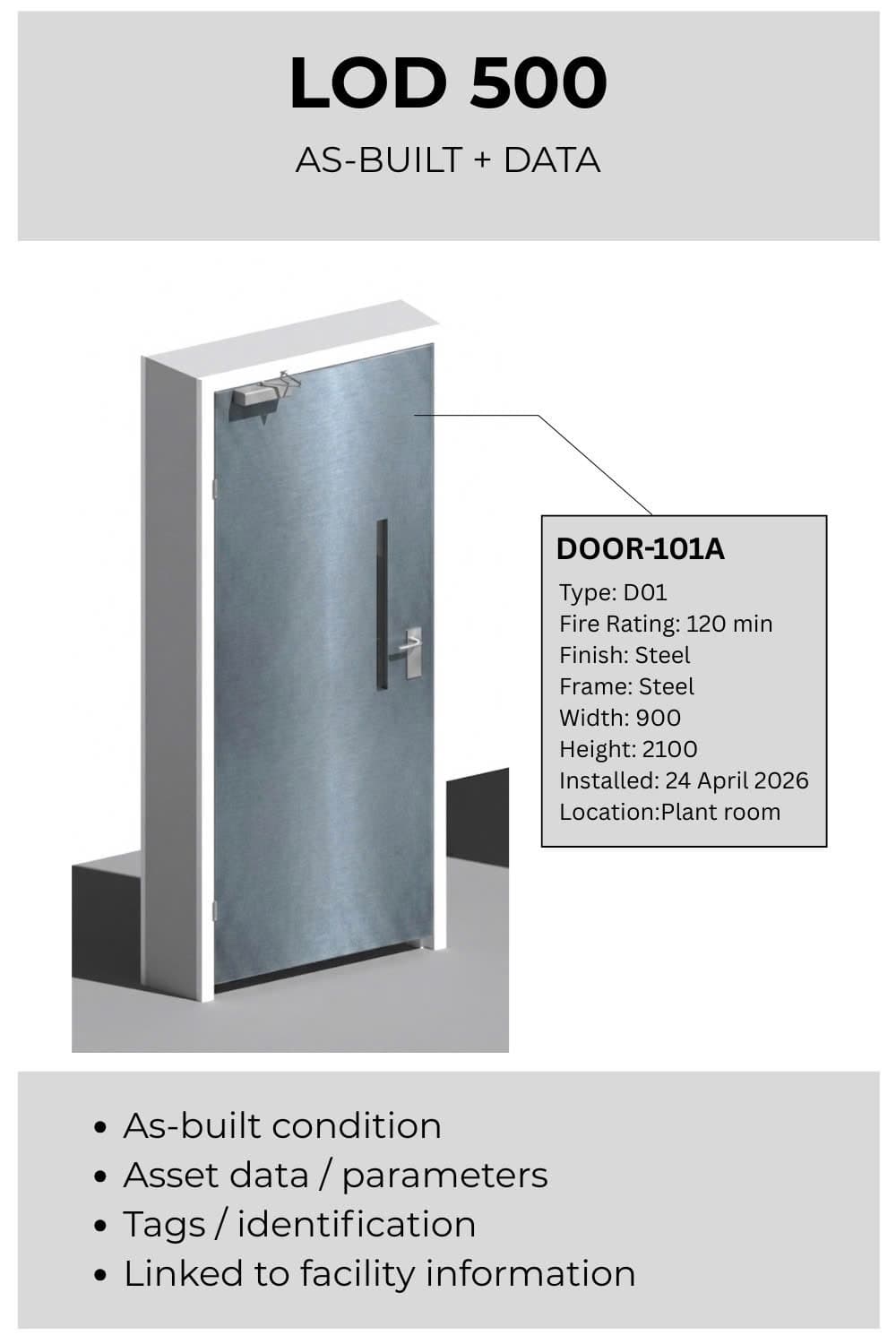
During the Construction Phase, the project is built using the LOD 400 model as reference. As construction progresses and is verified against actual site conditions, the model transitions to LOD 500 to represent the as-built state.
An appointed BIM coordinator verifies the as-built condition against the design models. Where there is a discrepancy with the BIM model, the Design models need to be updated to reflect the as-built condition of the site. Where accuracy is essential, a registered surveyor may be engaged to validate the as-built model.
In this stage, project owners may want to specify the inclusion of Facility Management data into the BIM model. This data is typically incorporated using the COBie format.
BIM LOD Comparison: LOD 100 vs 200 vs 300 vs 350 vs 400 vs 500
| LOD | Project Phase | Geometry Definition | Information Content | Key Stakeholders | Typical Uses |
|---|---|---|---|---|---|
| 100 | Pre-Design | Conceptual massing, overall shape, no assemblies | Area, volume, orientation | Architect, Owner | Feasibility studies, site planning, preliminary analysis |
| 200 | Schematic Design (SD) | Generic systems, approximate size, shape, location | Approximate quantities, performance, generic materials | Consultants, early subcontractors | Design validation, rough costing, early coordination |
| 300 | Design Development (DD) | Accurate size, shape, quantity, and location | Specific assemblies with defined attributes | Subcontractors modeling their systems | Construction docs, trade coordination, detailed QTOs |
| 350 | Design Development (DD) | Interfaces and connections between systems | Detailed component relationships | Multidisciplinary teams (arch, struct, MEP) | Clash detection, constructability, coordinated design |
| 400 | Construction Documents (CD) | Complete fabrication-level detail | Manufacturer-specific tolerances and installation data | Subcontractors, fabricators | Shop drawings, prefabrication, installation planning |
| 500 | Construction Administration (CA) | Verified as-built representation | Final asset info, maintenance manuals, O&M data | BIM team, FM managers | Facility management, lifecycle operations |
Getting Started with BIM LOD
BIM LOD is about aligning the right level of detail at the right time. By modelling progressively through the AIA phases—LOD 200 during Schematic Design, LOD 300/350 during Design Development, LOD 400 for Construction Documents through Construction Administration, and LOD 500 for as-built verification—teams avoid wasted effort, minimize clashes, and deliver accurate BIM models for project handover.
If your project requires help with LOD implementation or a BIM Execution Plan, you can reach out to us through our contact page or use our BIM Cost Calculator for a tailored estimate.
Frequently Asked Questions

Related Articles
Is BIM Submission Mandatory Under CORENET X?
BIM submissions are mandatory for QPs from October 2026, but sub-consultants carry indirect obligations. Here is what each discipline actually needs to do.
Beyond 3D Models: Why Strategic BIM Services Are the Key to Construction ROI
Strategic BIM services deliver 8-10x ROI through clash detection, 4D scheduling, and 5D cost control. Learn how to move beyond 3D models.
Faster Permits, Fewer Reviewers: The Case for Model-Based Permitting
U.S. building departments face staffing shortfalls, retirements, and rising demand. Model-based permitting using BIM and IFC can cut review cycles and scale with fewer reviewers.